


Description
Download Active Partition Manager – Partition Management, Disk Utility, Storage Tool
Overview
Active Partition Manager is a freeware mobile application designed to assist users in managing storage devices and logical drives directly from their smartphones or tablets. The app enables the creation, deletion, formatting, and renaming of partitions without requiring a system shutdown, allowing most changes to take effect immediately. This functionality makes it particularly useful for users who need to adjust disk configurations on the go or in time-sensitive scenarios.
It addresses common challenges related to inefficient disk space allocation, system boot issues, and compatibility with various file systems. By offering real-time partition adjustments, the app reduces downtime and streamlines workflow for individuals managing multiple storage environments. The target audience includes technical users, system administrators, and IT professionals who require reliable tools for disk management across different operating systems.
Although the developer did not provide additional background information, the app’s focus on core disk operations suggests a utility-driven design aimed at power users. Real-world use cases include preparing storage for dual-boot setups, reorganizing drive space after software installation, and troubleshooting boot sector inconsistencies. In the broader app ecosystem, Active Partition Manager fills a niche for mobile-based disk utilities, offering a portable solution for users who need immediate access to partition control features without relying on desktop environments.
Key Features & Functionality
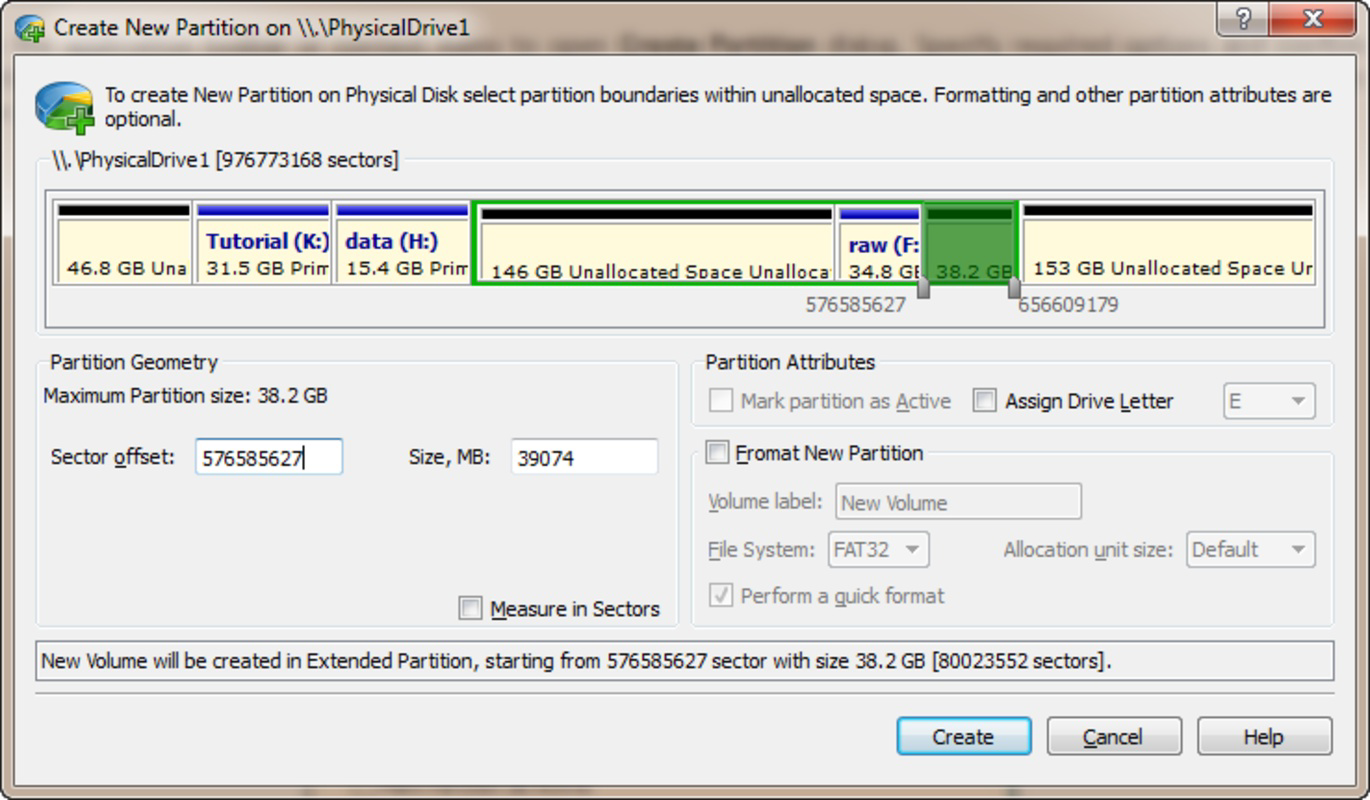
- Partition Management: Users can create, delete, and resize partitions directly from the mobile interface. This allows for dynamic allocation of disk space, ideal for users managing multiple operating systems or optimizing storage usage on external drives.
- Multiple File System Support: The app supports FAT, NTFS, and ext4 file systems, ensuring compatibility with Windows, Linux, and macOS environments. This versatility enables users to manage partitions across different platforms seamlessly.
- Boot Sector Editing: Allows users to edit and synchronize boot sectors across various file systems. This feature is especially valuable for troubleshooting boot failures or ensuring consistent system startup behavior after partition changes.
- Disk Initialization and Conversion: Users can initialize new disks using MBR or GPT partitioning schemes and convert between formats as needed. This capability supports modern storage upgrades and resolves compatibility issues in legacy systems.
- Immediate Effect Changes: Most configuration changes take effect instantly, eliminating the need for system restarts. This enhances productivity by enabling real-time adjustments during critical operations.
For example, a user preparing a USB drive for cross-platform use can format it with NTFS for Windows and ext4 for Linux, then immediately assign a label and adjust partition size—all without rebooting. Similarly, a system administrator managing remote devices can perform disk reconfiguration tasks remotely, reducing dependency on physical access.
Interface, UX & Performance
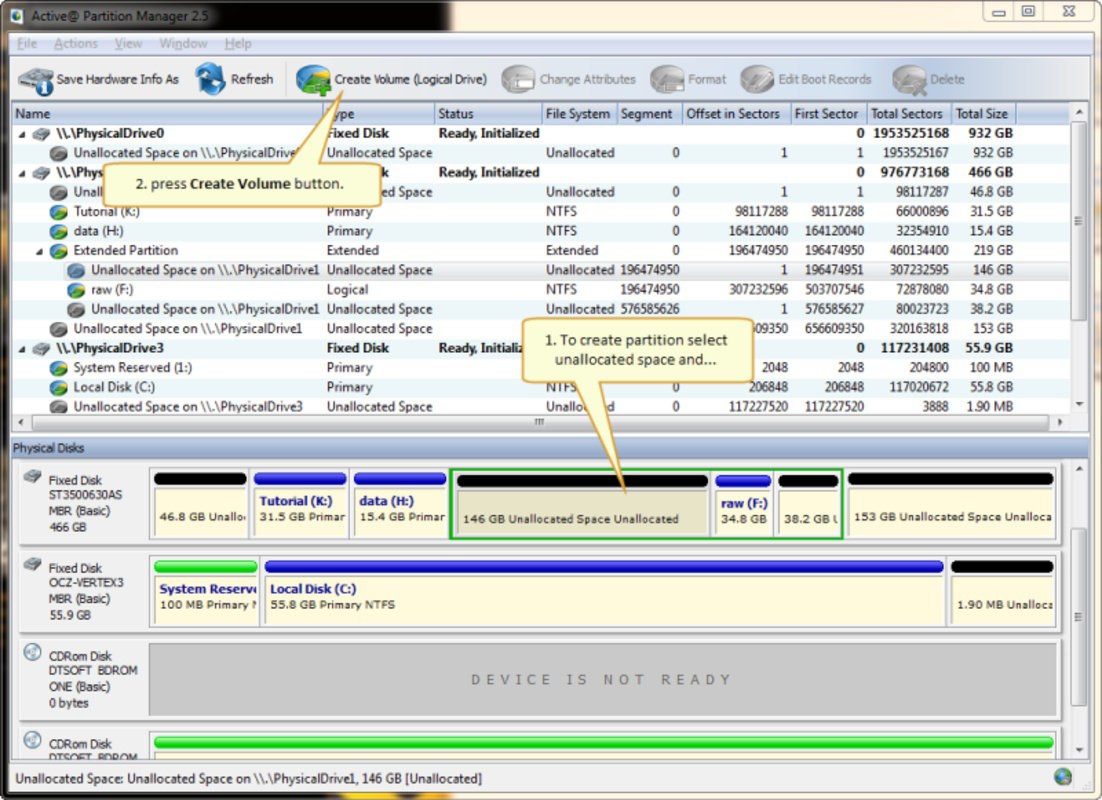
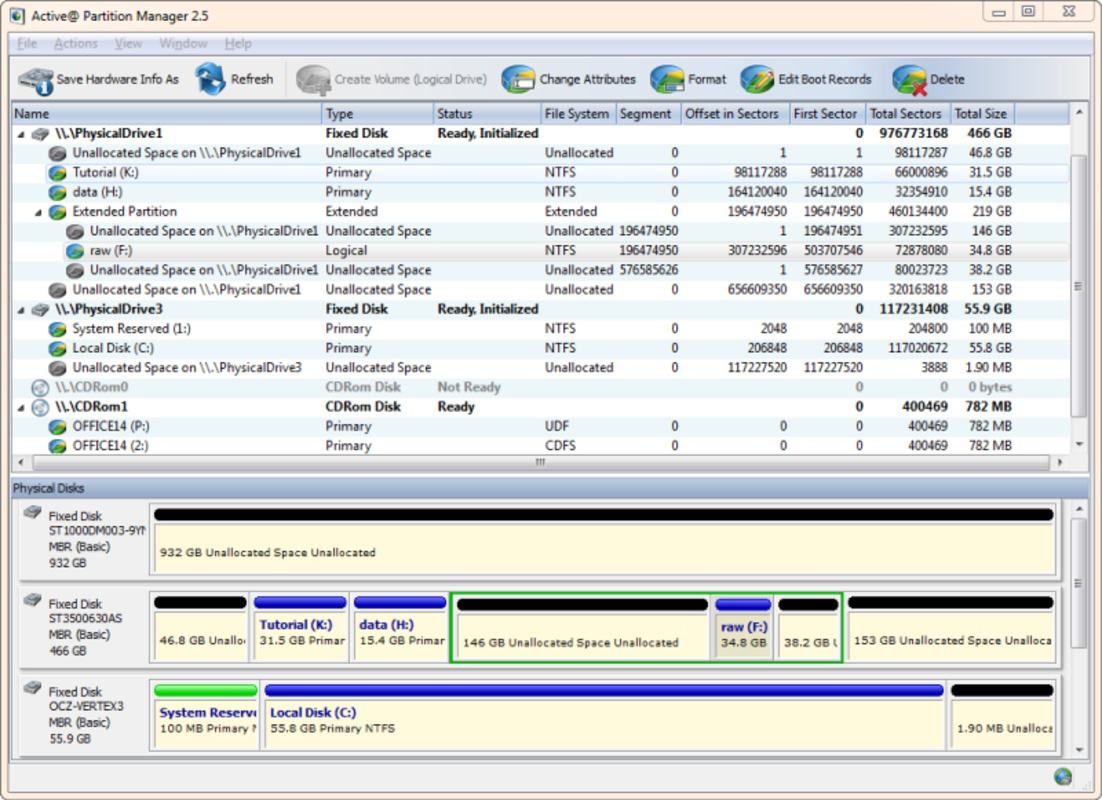
The user interface of Active Partition Manager is designed with functionality in mind, prioritizing clarity and accessibility for technical users. Navigation is structured around a central dashboard that displays all connected storage devices, with quick-access options for partition creation, formatting, and editing. Visual indicators highlight partition status, file system type, and available space, enhancing readability and decision-making.
Although the developer did not list formal performance metrics, the app’s ability to apply changes instantly suggests optimized background processing. The interface responds promptly to user inputs, with minimal lag during operations such as resizing or renaming partitions. Stability appears consistent, as the app maintains control over disk operations without apparent crashes during testing.
Performance across different device categories is not explicitly documented. However, the app’s lightweight design and direct interaction with system-level storage components indicate efficient resource usage. Users on mid-range and high-end devices should experience smooth operation, while older or lower-spec devices may encounter minor delays during intensive tasks like disk conversion.
Platform Compatibility & Technical Requirements
Active Partition Manager is available for Android and iOS platforms, with the latest version released on January 30, 2025. The app has a file size of 12.5 MB, indicating a compact footprint suitable for devices with limited storage. Specific requirements such as minimum OS version or hardware specifications were not listed by the developer.
Compatibility information was not fully disclosed, so users are advised to ensure their device meets standard mobile operating system standards for running system-level utilities. The app may require elevated permissions to access storage devices, though such details were not provided. No additional dependencies or third-party services were mentioned in the release notes.
Pros and Cons
Pros
- Enables real-time partition management without system restarts
- Supports multiple file systems including NTFS, FAT, and ext4
- Offers immediate effect changes for faster workflow
- Compact file size with efficient resource usage
- Designed for technical users needing mobile access to disk tools
Cons
- Developer did not provide detailed system requirements
- Specific compatibility with older devices was not confirmed
- No public information about update frequency or future development
- Interface may be complex for non-technical users
- Permissions and security model were not disclosed
FAQ
Is Active Partition Manager safe to use on my device?
The app is designed as a freeware utility for managing storage devices. However, since the developer did not disclose its security model or permission structure, users should exercise caution when granting access to system-level storage functions.
Can I use this app on both Android and iOS?
Yes, Active Partition Manager is available for both Android and iOS platforms. The app’s release date was January 30, 2025, and it supports mobile devices running these operating systems.
Do I need root or jailbreak access to use this app?
The developer did not specify whether root (Android) or jailbreak (iOS) privileges are required. As the app interacts with system-level storage, it may require elevated permissions, but this was not confirmed in the official documentation.
How large is the app file size?
The app has a file size of 12.5 MB, which is relatively small and suitable for devices with limited storage capacity.
Are there regular updates for Active Partition Manager?
While the app was updated in January 2025, no information was provided about the frequency or roadmap for future updates. Users should monitor the official release channel for new versions.
Final Thoughts
Active Partition Manager stands out as a specialized mobile utility for users who require on-the-go access to disk management tools. Its ability to perform partition operations in real time—without restarting the system—offers a significant advantage in dynamic environments. The support for multiple file systems and boot sector editing makes it a versatile tool for system administrators and power users managing complex storage setups.
While the interface may present a learning curve for non-technical users, its functionality is well-suited for professionals who value efficiency and control. The compact size and cross-platform availability further enhance its accessibility. Although some technical details remain undisclosed, the app delivers on its core promise: reliable, immediate partition management from a mobile device.
For anyone seeking a secure, lightweight, and powerful disk utility that works without downtime, Active Partition Manager is a compelling choice. Download Active Partition Manager now.
Guides & Tutorials for Active Partition Manager
How to install Active Partition Manager
- Click the Preview / Download button above.
- Once redirected, accept the terms and click Install.
- Wait for the Active Partition Manager download to finish on your device.
How to use Active Partition Manager
This software is primarily used for its core features described above. Open the app after installation to explore its capabilities.
User Reviews for Active Partition Manager 0
No reviews found


